How to add a live X follower counter to OBS
· Kirtan Solanki
A follower count on stream is a small thing that does a lot: viewers see the number move when they hit follow, and milestones become moments you can celebrate live. Here's how to put a live X follower counter into OBS Studio in a few minutes.
What you need
- OBS Studio (any recent version with the Browser source).
- A Followula counter for your X account. The overlay URL looks like
https://followula.com/overlay/yourhandle.
1. Copy your overlay URL
Open your Followula dashboard and find the OBS overlay field below the embed preview. Copy the URL.
The overlay is built for streaming: the background is transparent, the digits scale to fill the source, and the sparkline is hidden so the number stays readable.
2. Add a Browser source in OBS
- In the Sources panel, click + and choose Browser.
- Name it something like "Follower counter" and click OK.
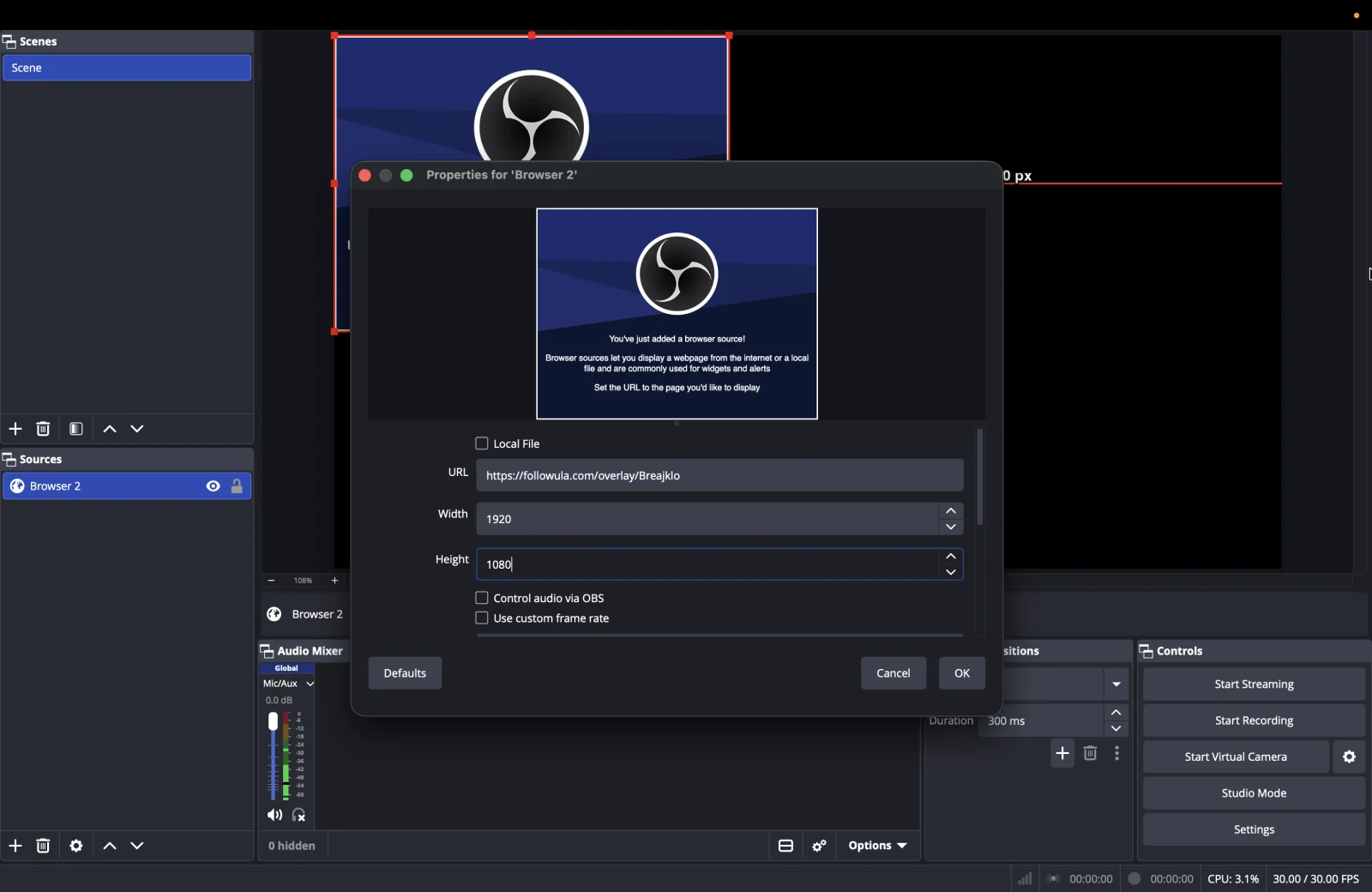
- Paste your overlay URL into the URL field.
- Set Width to
1920and Height to1080. - Click OK.
3. Place it on your canvas
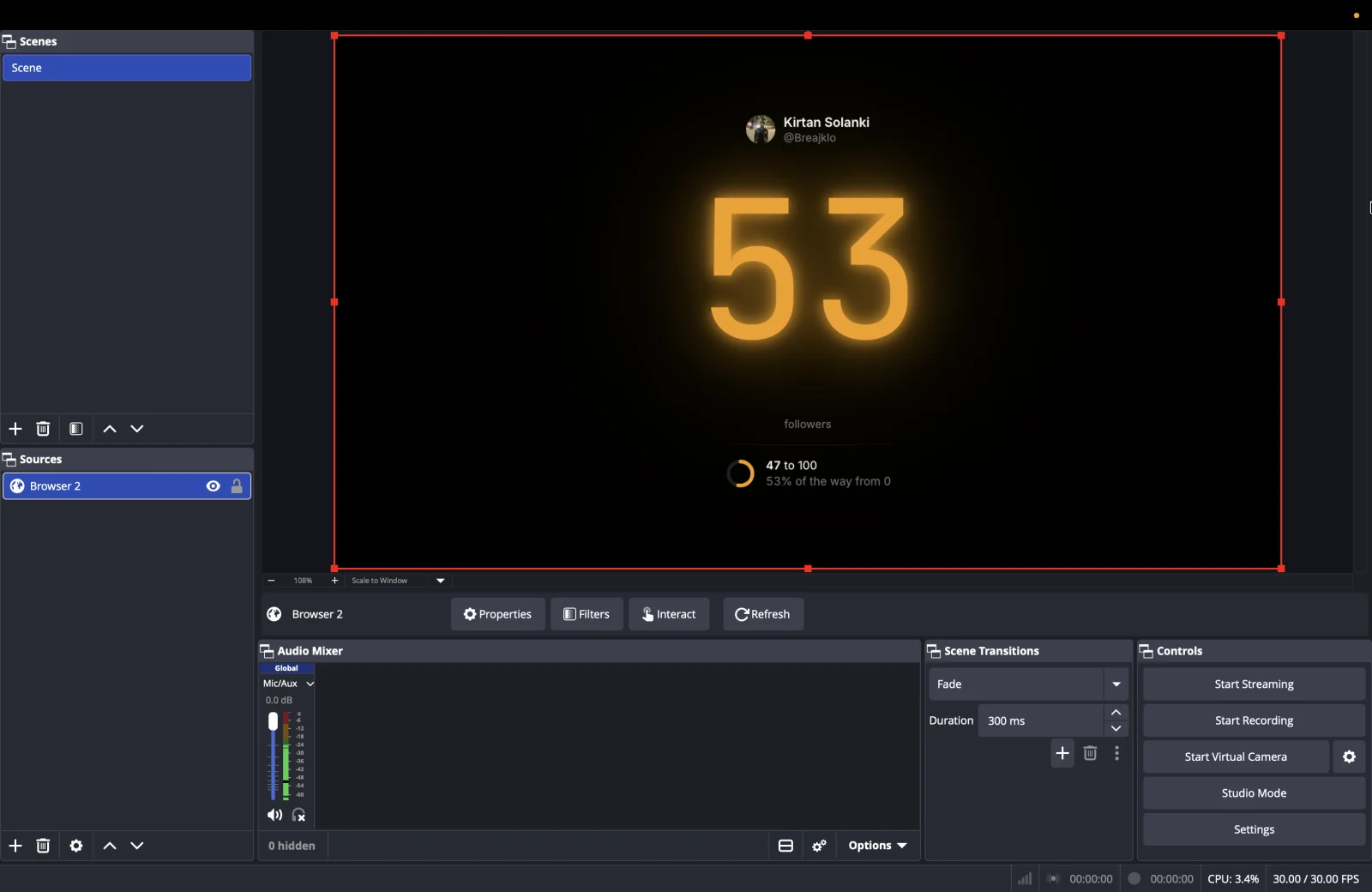
The counter appears on your canvas right away. Drag the red handles to resize it and move it where you want it, for example into a corner above your webcam.
4. Pick a look with URL options
Add options to the end of the URL to change the overlay without touching your saved settings. Join several with &:
https://followula.com/overlay/yourhandle?theme=neon&accent=ff0055
theme=minimal,flip,neonorglasspicks the counter style.accent=ff0055sets the accent color (a hex color, without the#).goal=10000shows progress toward a target of your choice.milestone=0hides the milestone line;avatar=0hides your profile picture.sparkline=1brings back the growth graph.mode=lightuses the light palette on themes that have one (such as minimal), for bright scenes.
How fresh is the number?
Followula checks your follower count about every 15 seconds, and the overlay refreshes itself every 20 seconds, so a new follower shows up on stream within about half a minute.
Troubleshooting
- The source is empty. The overlay stays invisible rather than showing an error on stream. Check the username
in the URL and that your public counter page at
followula.com/@yourhandleopens. - The number stopped changing. Check your credit balance in the dashboard: live checks pause when credits run out.
- The text looks blurry. Keep the source at 1920 × 1080 and resize it on the canvas instead of lowering the width and height.